Note: if you already know you hate infinite scrolling are looking for instructions on turning it off, details are here.
Nasty surprise
A few weeks ago, something unpleasant happened to my blog. The top of the page looked OK, but if I scrolled down more than a small distance, a semi-transparent box would slide up at the bottom of the screen, obscuring the last few lines of text.

The first sign that something was wrong.
I dislike unsolicited popups on web pages anyway; I particularly dislike ones which can’t be got rid of but follow you down the page as you try to scroll past them. For me they have same distracting effect as, say, a moth landing on something I’m reading and walking around on it, or someone plonking things down on a book while I read. So I really didn’t want things I hadn’t even put there messing with the behaviour of my blog in this way.
I’ve known about this blemish for a while; yesterday I finally got round to trying to cure it.
It looked like some kind of CSS trick, so I expected I’d need to change the custom CSS I’ve paid WordPress a small annual fee to let me use.
First step: find out what needs modifying. My browser, Opera, is pretty useful for this sort of thing. In particular, the View menu lets you display various features of the code for the page. So I got it to show the Class and ID attributes which label blocks of text and so on for CSS purposes. I expected one would have a label like “floating-footer”, and I’d then write a CSS rule to make anything with that label invisible.
The actual labels I saw were more worrying:
![The floating box, showing attributes called "infinite-footer" and "infinity-blog-tit[le], together with my comment "Oh bugger!"](https://timtfj.com/wp-content/uploads/2012/07/infinitycss.jpg?w=500 "the class and ID attributes for the floating box")
I don’t like the look of those ID names . .
What were
infinite and
infinity doing there? I’d set the display format ages ago to five posts per comfortably-sized page—or comfortable for me, at least. I’d experimented with different page lengths, and that seemed the one that worked best. Five posts loaded acceptably quickly, even over my mobile broadband connection, and resulted in comfortable scrolling via the scrollbar. Please,
no . . . !
I experimentally scrolled down to what was meant to be the bottom of the page. Then two posts further, to the actual bottom of the page. Sure enough, the ubiquitous and annoying “Sorry, you’ve got to wait while this goes round and and round and your browser goes all sluggish while we readjust your scrollbars” symbol appeared, jerkily rotating as my connection erratically downloaded things I hadn’t asked for. It was followed eventually by the next page of posts. On the same page. Or rather, posts 8 to 14. I’d now effectively got nearly three pages of posts filling up the browser with one idiotically long page.
So I hurriedly went to the blog settings, found the one responsible for infinite scrolling, and turned it off. I was relieved to see on my return that there was now no annoying floating popup. Phew.
OK, let’s scroll to the bottom again. Everything will be OK now. The Older Posts link will have come back, there won’t be any horrible stretchy page, I’ll be able to click the link for page 2, and . . .
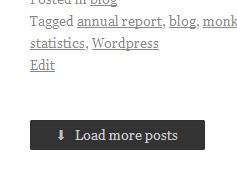
Sorry. We’ve taken the link away.
Oh. No. No! No no no no noooooooo! That’s just the same thing, but with a button! I don’t want to create an ultra-long page. I’ve just turned it off, for goodness’ sake! I simply want to go to the next page, where the next five posts will be. What are you doing to me?!
So, back to the settings page. (I must have missed the setting that give me normal pages . . . Oh. No sign of it. Off to the user forum, then . . . What, discrete pages is currently not an option?! Good grief . . . ! ) . . . And, finally, to an enthusiastic announcement from WordPress about how wonderful infinite scrolling is and how pleased they’re sure we’ll all be to have it.
That’s why I can’t find the setting, then. They’ve got rid of it. There’s a glimmer of hope in the word currently. But at least for now, I seem to be stuck with one long page which will contain all 103 of my posts if anyone’s determined enough to scroll all the way down. I can choose between having it load automatically when it feels like it, and on request when I click a button. But it’ll be the same unwieldy, user-hostile, browser-hogging, single page.
What’s so bad about it?
Um . . . Everything?
For a start, consider the experience of scrolling through the page. Now, I know that many people are using a scrollwheel. Maybe others like to use the arrow keys. For myself, I’m mainly browsing with a netbook that has a trackpad. Since the screen is quite small, I like to have fine control over the positioning of the page. This is often important if something is nearly the height of the screen. So I navigate using the vertical scrollbar.
Because the trackpad is so familiar and scrolling with it so instinctive, I mostly scroll without needing to look at the scrollbar. I know where it is, and that the pointer is already on it; my finger hovers over the trackpad as I read, ready to make a small, automatic movement when it’s time to scroll down a little. I do look occasionally, mainly to check the pointer hasn’t drifted off to one side, but mostly I’m just looking at the page content. Occasionally I’ll check the scrollbar to see how far through the page I am. It’s a pleasant, relaxed way of reading.
Now, suppose the page has infinite scrolling.
As I approach the “bottom” of the page, the next section starts to load. I don’t really notice, since I’m engrossed in reading someone’s wonderful blog post. If I did notice, it would be a distraction from reading.
The browser, however, does notice. The page is now longer; the scrollbar adjusts itself accordingly, moving upwards the appropriate distance. But I don’t know this, since I’m still busy reading.
I scroll down to read the next line, or to move the page by half a line or so to get an image positioned where I can see it properly . . . and then all hell breaks loose. Instead of the small adjustment I’m expecting, the page starts hurtling upwards. When I thought I was dragging the scrollbar down, I was actually clicking just below it. Or rather, holding my finger down and sending a stream of auto-repeat clicks. They’re still happening since my reflexes haven’t yet taken my finger off the trackpad.
So the browser is now frantically trying to load the next 5, 6, 10, 20, God-knows-how-many pages. Once my reflexes catch up enough for me to look to the right, the rapidly shrinking scrollbar is whizzing up the screen, several inches above the pointer. I chase after it. Not only is it running away from me, but it’s doing so erratically and jerkily since the browser and the internet connection can’t keep up.
I manage to catch the scrollbar and can finally start repairing the damage. Now, where was I on the page?
Well obviously I haven’t a clue where I was, have I? Not in relation to where I am now. Before the browser went insane I was three quarters of the way down, but that’s irrelevant now. The scrollbar is up near the top and I obviously need to be somewhere above that, but how far? No idea.
So I start scrolling back up, trying to find my place. And because the page is now so long, I have to use very very very tiny movements if I’m to move the page at a speed where I can actually see it.
It’s the equivalent of happily reading a book only have it suddenly and unexpectedly snatched out of your hands by someone who then deliberately loses your place, mangles the pages so they won’t turn properly, then throws it back at you. Horrible, horrible, horrible, horrible, horrible.
And seriously, what sort of web designer is unable to anticipate that this will happen? They must have used a web browser. With scrollbars. And they must know that people use scrollbars for scrolling with, surely?
Of course, the wilfully autonomous scrollbars are only one of the problems, even if they’re the worst. Here are some of the others.
- Pages never finish loading. The browser is forever connecting to the server to fetch the next bit of the page.
Maybe with a wonderfully fast computer and internet connection this is fine. For me it’s not fine: whenever something is loading, scrolling is erratic, jerky and sluggish. This applies especially when I have a lot of tabs open, which I normally do.
Scrolling becomes comfortable once the page has finished loading; infinite scrolling ensures that it never becomes comfortable.
- Navigation. With discrete pages, you always know how far down a page you are, so you’ve an idea how much there is left to read.
You also know which page you’re on. Maybe you’ve decided to browse your way through a few pages of posts, skimming through for anything that looks interesting. Remembering that you wanted to look at something a couple of pages back, you click the Back button twice and there it is.
Maybe you want to close the browser for now and and continue later from where you were: you bookmark page 16 and come back to page 16. Even if the blogger adds a new post in the meantime, you’ll be in more or less the right place.
Infinite scrolling makes all of that impossible.
- The ever-lengthening page. As you scroll down, the page gets longer. As mentioned above, this means smaller and smaller movements of the scrollbar are needed. Eventually they’re so tiny that trying to go any further is just too irritating to be worth it. Anything further down might as well not be there since reading it is too much hassle.
- Sequential-only access. To get to page 50 via infinite scrolling, you have to scroll all the way from page 1. You can’t just type
?page=50 or whatever into the page URL. And you don’t know where page 50 is anyway; you have to guess its position on a page whose length is continually changing. Imagine a book where the only way to get to page 50 is by opening every single page on the way to it!
. . . Well of course there was a time when books were like that. You navigated them by scrolling because they were scrolls and nobody had yet come up with anything better. Then, around 2000 years ago, books with pages were invented, and nobody in their right mind uses scrolls any more. Quite why web designers suddenly want to revert to an unwieldy system that’s 2000 years out of date is beyond me.
Yes, I know that a properly organised site will have archive links and so on for navigation. Scrolling won’t be the only way to get to things. But navigation links aren’t actually the same as, say, jumping forward a few pages to see what you find. They only work when they happen to coincide with what you’re looking for. Links and post titles won’t tell you there’s a hilarious cartoon on page 17. (They can’t; you don’t know it’s hilarious until you see it.) With infinite scrolling you can’t do the equivalent of flicking through the pages of a book until you find something interesting then making a note of the page; all pages are page 1.
Also, sites like Twitter don’t have archive links; you can’t really have thousands of 140-character links to individual 140-character tweets.
I think programmers who inflict infinite scrolling on us should be forced to use a programming language in which all access to memory, databases and arrays is sequential. And to use programming manuals written on scrolls. Let’s see how they like that.
I don’t like infinite scrolling.


![The floating box, showing attributes called "infinite-footer" and "infinity-blog-tit[le], together with my comment "Oh bugger!"](https://timtfj.com/wp-content/uploads/2012/07/infinitycss.jpg "the class and ID attributes for the floating box")

 The Other Blog Without A Name